
Core Workstation Suite • Windows 11 • macOS • Enterprise Linux

Four Essential Desktop Powerhouses.
One Cohesive Obsidian Aesthetic.

Engineered from first principles with Python & Qt6 for developers and power users who demand instant cold-start speed, unified keyboard ergonomics across every OS, and an ironclad privacy rule: we never track you, we never use or sell customer data, and we never push ads.

4 Apps
Web Browser, File Browser, Text Editor & Terminal
3 OS
True Parity: Windows 11, macOS & 5 Linux Distros
4096-Bit
GPG, Microsoft Store MSIX & Signed Releases
100% Local
Native Python & Qt6 Speed with Zero Cloud Lock-In
0%
Tracking, Customer Data Harvesting/Sales, or Intrusive Ads
Never Tracked

Zero telemetry beacons, behavioral profiling, or hidden spyware across our desktop suite.

Data Never Used or Sold

We never mine, train on, monetize, or sell customer files, prompts, or operational data.

Zero Ads—Ever

No ad networks, sponsored bloatware, or intrusive promotions shoved into your workflow.

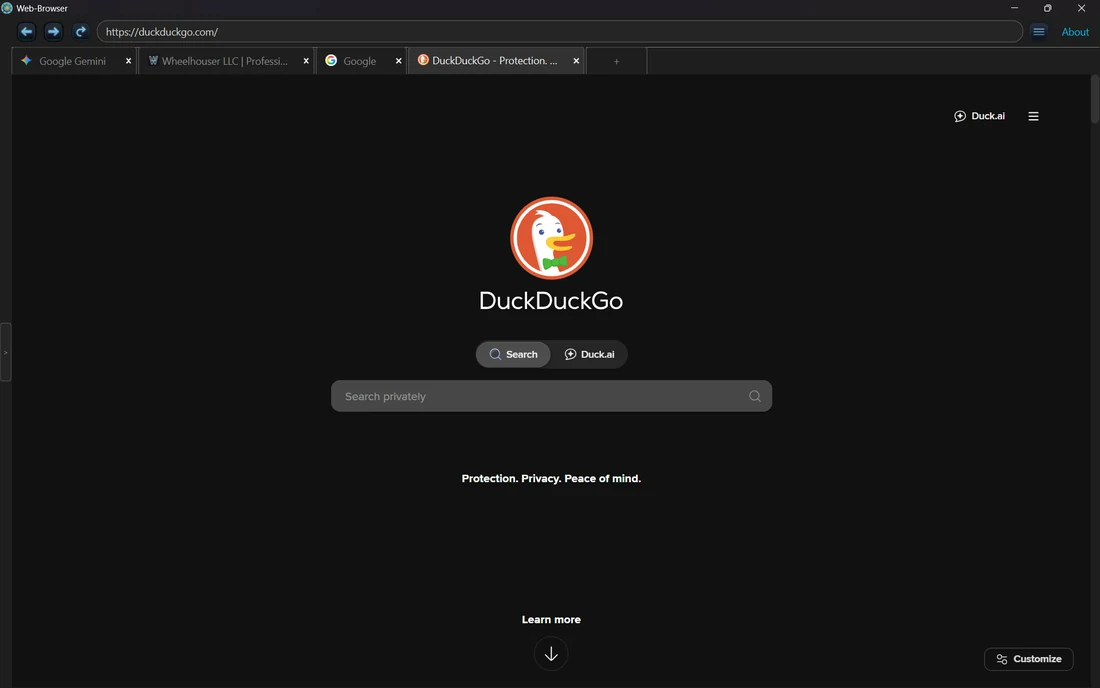
Wheelhouser Web-Browser — Chromium + Privacy Shield v0.24.0
Wheelhouser Web Browser Dark Mode Multi-Tab Desktop Interface
Wheelhouser Web Browser Icon
Private Desktop Web & Media

Web Browser

Fast, privacy-hardened desktop browser built on QtWebEngine and Chromium with cohesive Wheelhouser Dark Mode, tracker blocking, seekable live media transcoding, and local directory exploration.

  • Built-in Ad & Tracker Shield
  • Seekable Media Streamer
  • Multi-Tab Session Memory
  • Unified Web & File View
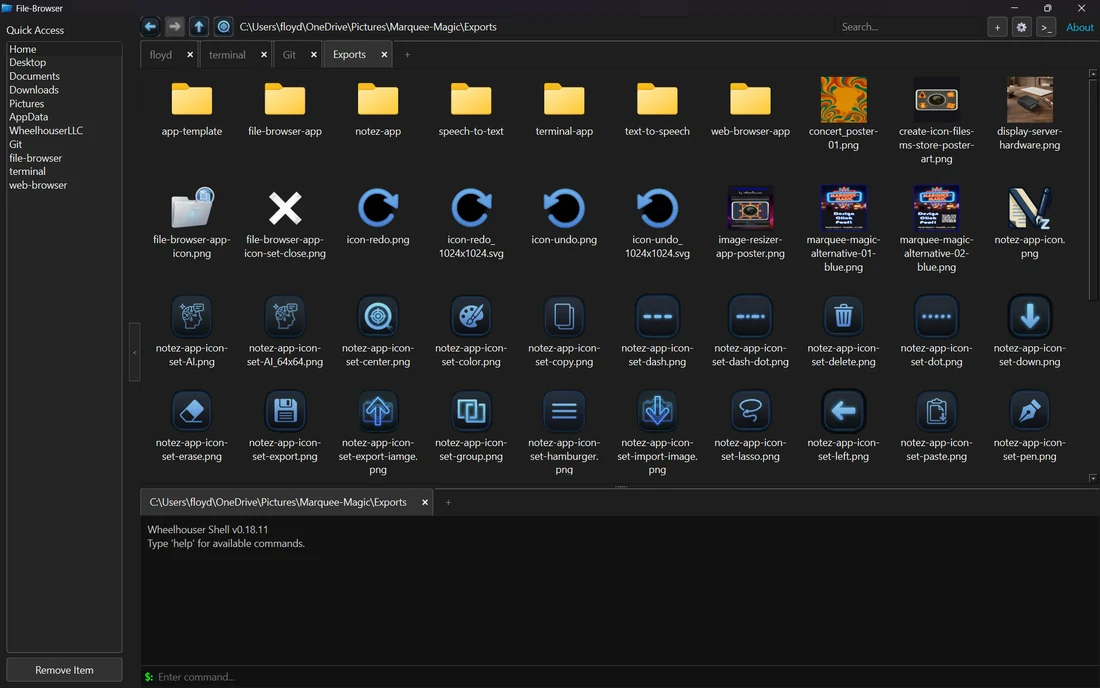
Wheelhouser File-Browser — Dual-Pane + Embedded Shell v0.10.0
Wheelhouser File Browser Dual-Pane File Manager with Embedded Terminal
Wheelhouser File Browser Icon
Power-User File Management

File Browser

Ergonomic desktop file commander uniting multi-tab and dual-pane navigation with an embedded, directory-synchronized PTY terminal emulator and instant source/media preview panes.

  • Synchronized PTY Terminal
  • Dual-Pane & Multi-Tab UI
  • Instant Code & Media Preview
  • Zero-Latency Native I/O
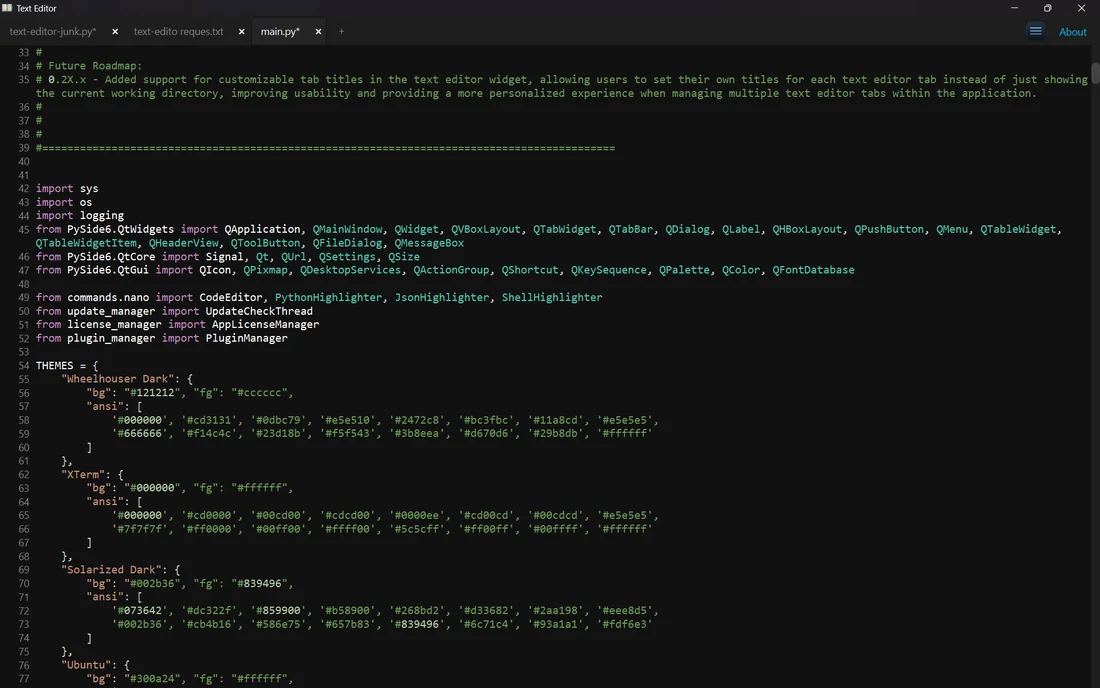
Wheelhouser Text-Editor — Multi-Cursor Code Studio v0.14.2
Wheelhouser Text Editor Syntax Highlighting and Multi-Tab Python Code View
Wheelhouser Text Editor Icon
High-Speed Code & Text Studio

Text Editor

Distraction-free, native cross-platform code and text editor featuring simultaneous multi-cursor editing, persistent code folding, regex search, spell checking, and syntax highlighting for 15+ languages.

  • Simultaneous Multi-Cursor
  • 15+ Language Highlighters
  • Persistent Code Folding
  • Regex Search & Spellcheck
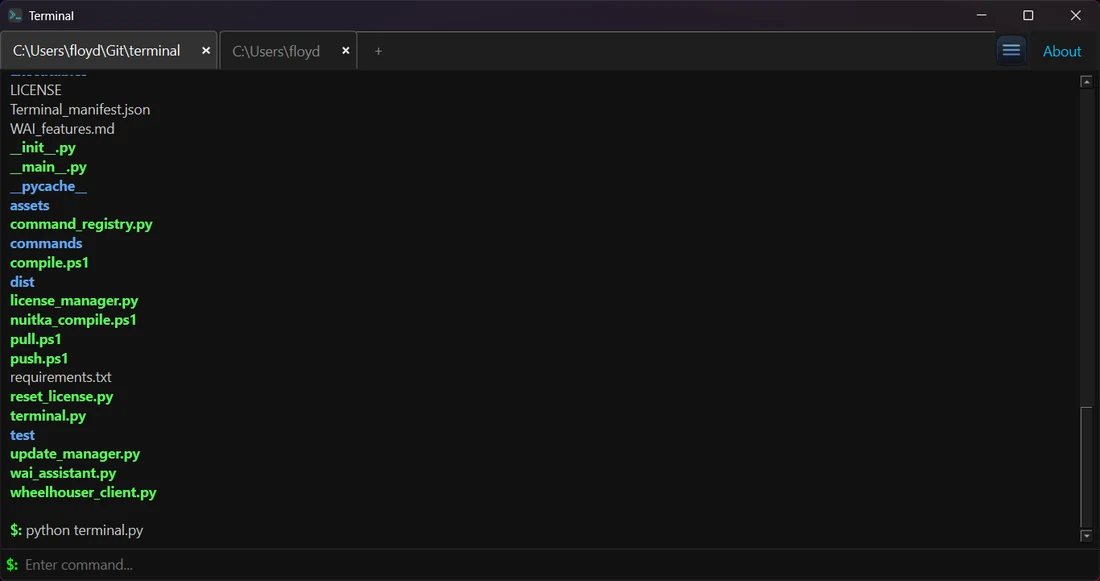
Wheelhouser Terminal — POSIX + SSH + Local WAI v0.32.0
Wheelhouser Terminal Multi-Tab TrueColor Command Shell Interface
Wheelhouser Terminal Icon
Unified Cross-OS Command Shell

Terminal

Hardware-accelerated multi-tab terminal emulator uniting native shell execution with built-in POSIX utilities directly on Windows (ssh, rsync, grep, awk, curl — no WSL required) plus local WAI assistance.

  • Built-In SSH, SCP & Rsync
  • Native POSIX Suite on Win11
  • 24-Bit TrueColor & Themes
  • Private Local WAI Assistant

Install the Entire Core Suite on Linux in One Command

Once the Wheelhouser Linux Repository is configured, deploy all four workstation apps cleanly with 4096-bit GPG signature verification (or grab Microsoft Store MSIX & macOS DMG installers from each product page above).

RPM Rocky 10, AlmaLinux 10 & Fedora 44/45 (DNF)

sudo dnf install -y web-browser file-browser text-editor terminal

DEB Debian 13 (Trixie) & Ubuntu 26.04 LTS (APT)

sudo apt install -y web-browser file-browser text-editor terminal

Want a Custom Cross-Platform Desktop Suite Built to This Exact Standard?

Commission Founder & Principal Systems Architect Steve Rock, M.S. to design, engineer, sign, and ship your custom Windows, macOS, and Linux desktop application with zero telemetry and full IP ownership.